
Upside Down Text Generator
Type your text once and instantly flip it upside down in every style. Tap the copy icon to grab any style and paste it anywhere.
Have you ever seen someone write a message that looks completely upside down and wondered how they did it? Maybe you noticed unusual text in an Instagram bio, a funny TikTok caption, a gaming username, or a chat message. Creating this type of text may look complicated, but it is actually very simple with an Upside Down Text Generator. This tool converts normal words into flipped-looking text using special Unicode characters, allowing you to create unique styles similar to cool fonts that can be copied and pasted almost anywhere.
You do not need to install a special font, learn complicated design software, or manually search for unusual symbols. Simply enter your text, generate the upside-down version, and use it wherever you want. Whether you want to create a unique social media caption, explore different cool font styles, surprise your friends with a funny message, or make your username stand out, an upside-down text generator helps you do it within seconds.
What Is an Upside Down Text Generator?
An Upside Down Text Generator is an online tool that converts regular text into upside-down-style characters. It works by replacing normal letters and numbers with special Unicode symbols that visually look like flipped versions. Unlike an image rotation tool, this generator creates actual text characters. This means you can copy the result and paste it into many platforms such as social media apps, messaging applications, forums, and gaming profiles. For example:
The result may look like the text has been physically turned upside down, but the tool is actually using different characters that create a similar visual effect. This makes upside-down text useful for creativity, entertainment, and adding a unique style to ordinary messages.
How Does an Upside Down Text Generator Work?
Many people think an upside-down text generator simply rotates letters 180 degrees, but that is not exactly how it works. The tool uses Unicode characters. Unicode is a universal character system that allows computers and smartphones to display thousands of different symbols, letters, and writing systems. Some Unicode characters look similar when flipped. The generator uses these characters to replace regular letters. For example:
| Normal Letter | Upside Down Character |
| a | ɐ |
| b | q |
| c | ɔ |
| e | ǝ |
| f | ɟ |
| h | ɥ |
| i | ᴉ |
| m | ɯ |
| n | u |
| r | ɹ |
| t | ʇ |
| y | ʎ |
When you type a sentence, the generator checks each character and replaces it with the closest available upside-down symbol. However, Unicode does not contain a perfect upside-down version of every letter. Because of this, some characters may remain unchanged or use a symbol that only looks similar.
How to Use an Upside Down Text Generator?
Using an upside-down text generator is quick and does not require any technical knowledge. Follow these simple steps:
1. Enter Your Text
Type the word, sentence, name, or phrase you want to flip into the text box. You can enter anything, such as:
2. Generate Upside Down Text
After entering your text, click the generate or convert button. The tool automatically transforms your normal text into an upside-down version.
3. Copy the Result
Once your flipped text appears, simply copy it. Most generators include a copy button to make this process faster.
4. Paste Anywhere
You can paste your upside-down text into:
No extra software is needed.
Why Do People Use Upside Down Text?
Upside-down text is mostly used for fun, creativity, and personal expression. It gives normal words a different appearance and helps messages stand out. Here are some common uses:
1. Social Media Captions and Bios
Social media users often use unique text styles to make their profiles more interesting. Upside-down text can be used in:
A simple phrase can become more eye-catching when written differently. For example:
Normal: Welcome to my profile
Upside down: ǝʅᴉɟoɹd ʎɯ oʇ ǝɯoɔʅǝM
It adds a creative touch without needing images or graphics.
2. Funny Messages and Jokes
Many people use upside-down text when chatting with friends. It creates curiosity because the reader has to think for a moment before understanding the message. Examples:
Normal: Can you read this?
Upside down: ¿sᴉɥʇ pɐǝɹ noʎ uɐƆ
This makes conversations more playful and entertaining.
3. Unique Usernames
Gamers and online community members often search for creative username ideas. Upside-down text can help create a different style for:
However, keep in mind that some platforms may not support every Unicode character in usernames.
4. Creative Designs
Designers and content creators may use upside-down text for:
For professional designs, image-based rotation tools may provide better results because they allow complete control over appearance.
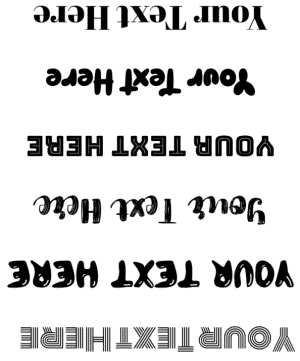
Upside Down Text Examples
Here are some common examples of flipped text:
| Normal Text | Upside Down Text |
| Hello | oʅʅǝH |
| Love | ǝʌo⅃ |
| Cool | looƆ |
| Amazing | ƃuᴉzɐɯ∀ |
| Welcome | ǝɯoɔʅǝM |
| Thank You | noʎʞ uɐɥ⊥ |
| Good Luck | ʞɔn⅃ poo⅁ |
The result depends on available Unicode characters. Some letters will have a perfect match, while others may look slightly different.
Is Upside Down Text a Real Font?
No, upside-down text is not actually a font. A font changes the design or appearance of normal letters while keeping the same characters. For example, Arial and Times New Roman are different fonts, but the letter “A” is still the same character. Upside-down text works differently. It uses different Unicode characters that resemble flipped letters. This is why you can copy and paste upside-down text without downloading anything.
Upside Down Text vs Rotated Text: What Is the Difference?
Although they may look similar, upside-down text and rotated text are different.
| Upside Down Text | Rotated Text |
| Uses Unicode characters | Uses visual rotation |
| Can be copied as text | Usually becomes an image or design element |
| Works in chats and social media | Better for graphics and posters |
| Limited by available characters | Can rotate any text |
| Does not require design tools | Often needs editing software |
For messages and social media, upside-down text is usually more convenient. For professional designs, rotating actual text may give better results.
Can You Use Upside Down Text Everywhere?
Most platforms that support Unicode characters can display upside-down text. You can usually use it on:
Social Media Platforms
Messaging Apps
Online Profiles
However, some websites may block unusual characters or display them differently depending on their font support. Always check your final text before sharing.
Why Do Some Letters Not Flip Correctly?
A common question is why some upside-down text looks incomplete. The reason is simple: not every character has an upside-down Unicode version. Some users try combining different text styles, such as an italic text generator, to create more unique-looking designs, but upside-down text mainly depends on available Unicode symbols. For example, some letters already look similar when flipped:
Other letters need special replacements. Numbers and symbols also have limited options. Some numbers can be flipped easily, while others do not have a close match. Because of these limitations, upside-down text is a visual effect rather than a perfect mathematical rotation.
Upside Down Alphabet and Symbols
Here are some popular upside-down characters:
| Normal | Upside Down |
| A | Ɐ |
| B | ᗺ |
| C | Ɔ |
| D | ᗡ |
| E | Ǝ |
| F | Ⅎ |
| G | ⅁ |
| H | H |
| I | I |
| J | ᒋ |
| K | ꓘ |
| L | ⅂ |
| M | ꟽ |
| N | N |
| O | O |
| P | Ԁ |
| R | ᴚ |
| T | Ʇ |
| U | Ո |
| V | Λ |
| Y | ⅄ |
These characters are what make upside-down text possible.
Tips for Using Upside Down Text
To get the best results, follow these simple tips:
Keep Text Short
Long paragraphs become difficult to read when flipped. Short words, names, and phrases usually look better.
Test Before Sharing
Different devices and apps may display Unicode characters differently. Check your text before posting.
Avoid Important Information
Do not use upside-down text for:
Regular text is clearer and safer.
Combine Normal and Upside Down Text
For better readability, you can mix both styles. Example: “Hello 👋 pʅɹoM” This keeps the message creative but understandable.
Is Upside Down Text Accessible?
Upside-down text can create accessibility problems. Screen readers, which help visually impaired users read digital content, may not understand Unicode symbols correctly. For example, a screen reader may read individual symbols instead of the intended word. Because of this:
Accessibility is an important part of creating content that everyone can use.
FAQS
Final Thoughts
An Upside Down Text Generator is a simple and creative way to transform ordinary words into unique flipped text. Whether you want to create a funny message, customize your profile, or add a creative style to your posts, this tool makes the process quick and easy. Because it uses Unicode characters instead of traditional fonts, you can copy and paste your upside-down text almost anywhere without installing anything. Use it for creativity, entertainment, and personal expression, but remember to keep accessibility and readability in mind when sharing your content.