
Instagram Fonts Generator
170+ stylish Instagram fonts and emoji styles for your bio, captions, stories, and username. Type your text, pick a style, then copy and paste straight into Instagram.
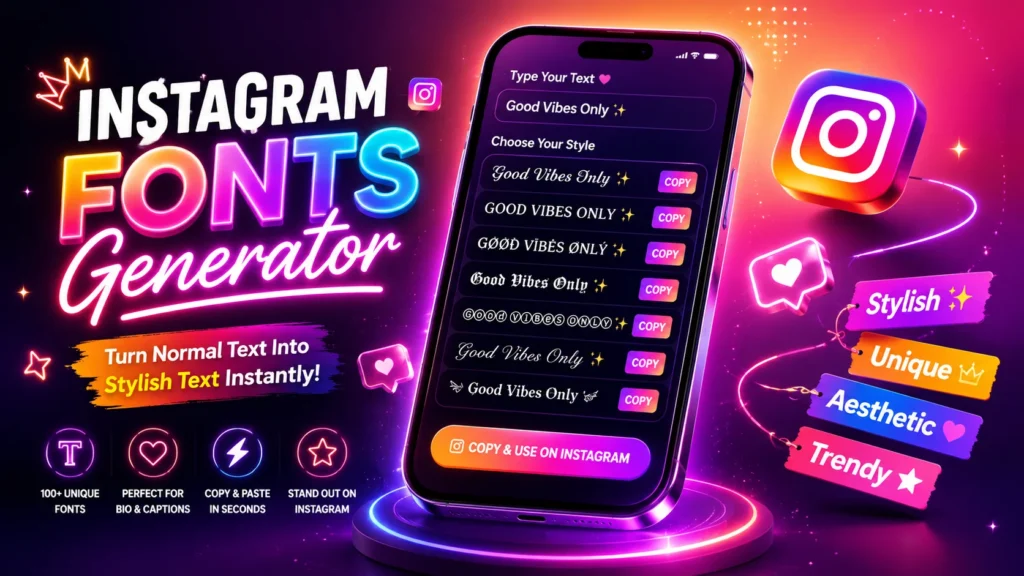
Use our free Instagram cool fonts generator to turn normal text into stylish text for your Instagram bio, captions, profile name, and comments. Enter your text, choose your favorite cool fonts style, click copy, and paste it directly into Instagram. You do not need to download an app, create an account, or learn any design skills.
What Is an Instagram Fonts Generator?
An Instagram fonts generator is a simple online tool that changes normal letters into decorative characters. For example:
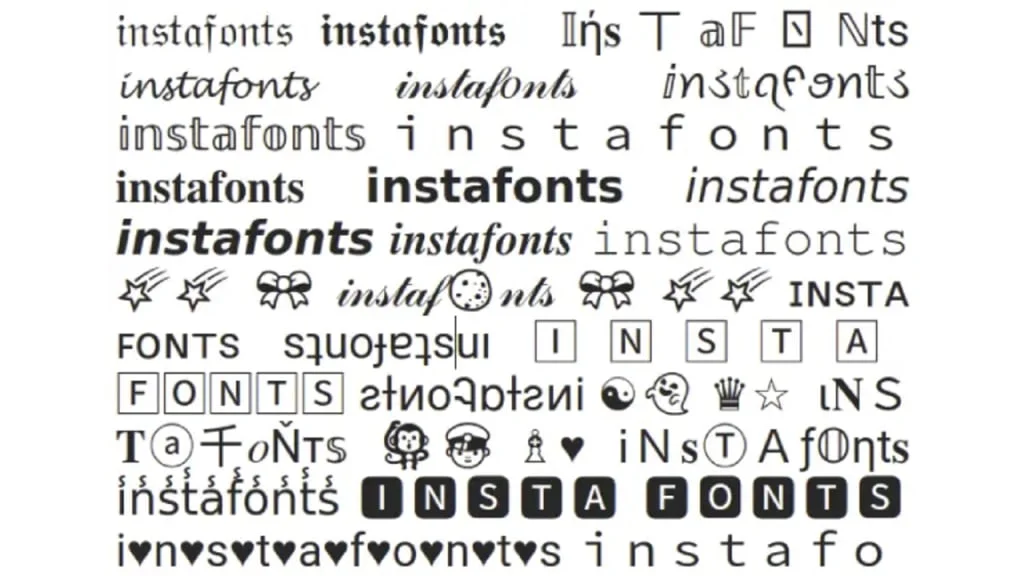
These styles are commonly called Instagram fonts, but most are not downloadable font files. The generator replaces regular letters with Unicode characters that have a different visual appearance. Unicode defines characters rather than fonts, which is why the generated text can usually be copied from one place and pasted into another. You can use the generated text on Instagram and many other apps that support these characters.
How to Use the Instagram Fonts Generator
Creating stylish text takes only a few seconds.
1. Enter Your Text
Type your name, bio, caption, quote, or any other text into the generator box. You can enter something short, such as:
2. Browse the Generated Fonts
The tool will show your text in different styles. You may see bold, italic, cursive, bubble, gothic, outlined, and small-cap options. Scroll through the available IG fonts and find one that matches your profile.
3. Copy Your Favorite Style
Click the copy button beside the style you want to use. The generated text will be copied to your device.
4. Paste It into Instagram
Open Instagram and paste the text into your:
Always preview the final text before saving or publishing it.
Where Can You Use Instagram Fonts?
You can use stylish text in several parts of your Instagram profile.
Instagram Bio
Your bio is one of the first things people notice when they visit your profile. A simple Instagram font can help separate your name, profession, offer, or call to action. Example:
Use decorative text for one important line instead of changing the complete bio.
Profile Name
You can use insta fonts to make your display name look different. Example: 𝐑𝐢𝐲𝐚 | 𝐁𝐞𝐚𝐮𝐭𝐲 𝐂𝐫𝐞𝐚𝐭𝐨𝐫
However, it is usually better to keep your main personal or business name easy to read.
Captions
Stylish text can create a clear heading at the beginning of a caption. Example: 𝐍𝐄𝐖 𝐏𝐑𝐎𝐃𝐔𝐂𝐓 𝐀𝐋𝐄𝐑𝐓
Our latest handmade collection is now available. Which design is your favorite? This makes the first line easy to notice without making the full caption difficult to read.
Comments
You can paste a short bold, cursive, or fun message into comments. For example: 𝑻𝒉𝒊𝒔 𝒍𝒐𝒐𝒌𝒔 𝒂𝒎𝒂𝒛𝒊𝒏𝒈!
Avoid long decorative comments because some styles become difficult to understand.
Stories and Reels
Instagram already provides built-in text options for Stories and Reels. However, copied text can give you more choices when a supported character style is not available in the app. Instagram also has its own official typeface, Instagram Sans, which was designed with accessibility and global scripts in mind.
Best IG Fonts for Different Profile Styles
The best font depends on the type of profile you manage.
Bold Fonts
Bold text is useful for headings, offers, product launches, and important words. Best for:
Example: 𝐅𝐑𝐄𝐄 𝐃𝐄𝐋𝐈𝐕𝐄𝐑𝐘 𝐓𝐎𝐃𝐀𝐘
Cursive Fonts
Cursive text gives a softer and more personal appearance. Best for:
Example: 𝒞𝓇𝑒𝒶𝓉𝑒 𝒶 𝓁𝒾𝒻𝑒 𝓎𝑜𝓊 𝓁𝑜𝓋𝑒
Small-Cap Fonts
Small caps look simple and organized. They are suitable for short headings and profile categories. Best for:
Example: ᴛʀᴀᴠᴇʟ • ꜰᴏᴏᴅ • ʟɪꜰᴇꜱᴛʏʟᴇ
Bubble Fonts
Bubble text has a playful look. Best for:
Example: Ⓖⓞⓞⓓ Ⓥⓘⓑⓔⓢ
Gothic Fonts
Gothic styles can create a bold or dramatic appearance. Best for:
Example: 𝕯𝖆𝖗𝖐 𝕬𝖗𝖙 Use gothic text only for short phrases because longer sentences may be hard to read.
How Do Instagram Fonts Work?
Most font generators do not install a new font on Instagram. They replace standard letters with similar-looking Unicode characters. For example, the regular letter “A” and the styled character “𝐀” look related, but a device reads them as different characters. This is what allows you to:
- Generate the text online.
- Copy it from the generator.
- Paste it into Instagram.
- Keep its decorative appearance.
The final appearance can vary slightly between phones, browsers, and operating systems because different devices may display a character differently. If a style appears as an empty square or an unsupported symbol, return to the generator and select a simpler option.
Can I Use Insta Fonts in Hindi or Other Indian Languages?
Many Instagram font tools are mainly designed to transform English letters. One popular generator, for example, specifically asks users to enter English text. You can still enter Hindi, Bengali, Tamil, Telugu, Marathi, Gujarati, Punjabi, Urdu, or another language to test the available results. However, the tool may leave the original letters unchanged if it does not have a decorative mapping for that script. For a multilingual Indian profile, a safe format is:
This keeps the decorative English heading while making the local-language information clear and readable. Do not replace important Hindi or regional-language details with unrelated symbols just to create a fancy appearance.
How to Choose the Right Insta Font
A good insta font should look attractive without making your message difficult to read. Follow these simple tips:
Keep Important Information Clear
Your business name, profession, location, contact details, and main call to action should be easy to understand. Use plain text for the most important details and decorative text for short headings.
Use One or Two Styles
Using five different styles in one bio can make it look messy. Choose one main style and, when needed, one supporting style. For example:
Match the Font to Your Content
A beauty page may look good with soft cursive text, while a fitness page may suit bold text. Do not choose a font only because it looks unusual. It should match the personality of your account.
Test It on Your Phone
Check the text after pasting it into Instagram. Make sure that:
Avoid Styling Every Word
Decorative text works best as a highlight.
A full paragraph written in unusual symbols can be tiring to read. Clear text is especially important for people who use assistive technology. W3C accessibility guidance notes that social content should work for people who use tools that read text aloud, while some Unicode characters can be announced inaccurately by assistive technology.
Do Instagram Fonts Affect Search or Reach?
There is no need to avoid all stylish text. However, your important searchable words are safer in normal letters. Styled Unicode characters are different from standard letters. Because of that difference, a platform’s search system may not always treat a decorative version exactly like the normal word. For example, keep these details in plain text:
You can then use decorative fonts for a heading, short quote, or secondary line. Example:
This is a practical precaution, not a confirmed Instagram ranking rule.
Common Mistakes to Avoid
Instagram Font Ideas You Can Copy
Here are a few ideas for different accounts.
For a Content Creator
𝐃𝐢𝐠𝐢𝐭𝐚𝐥 𝐂𝐫𝐞𝐚𝐭𝐨𝐫 Helping you create better content New tips every day
For a Fashion Blogger
𝑭𝒂𝒔𝒉𝒊𝒐𝒏 • 𝑩𝒆𝒂𝒖𝒕𝒚 • 𝑳𝒊𝒇𝒆 📍 India DM for collaborations
For an Online Store
𝐍𝐄𝐖 𝐀𝐑𝐑𝐈𝐕𝐀𝐋𝐒 Affordable fashion across India Order through the link below
For a Fitness Coach
𝐁𝐮𝐢𝐥𝐝 𝐁𝐞𝐭𝐭𝐞𝐫 𝐇𝐚𝐛𝐢𝐭𝐬 Online fitness coaching Message for a personal plan
For a Travel Page
ᴇxᴘʟᴏʀᴇ • ᴛʀᴀᴠᴇʟ • ʀᴇᴘᴇᴀᴛ Discovering India one city at a time
FAQS
Final Thoughts
An Instagram fonts generator is a quick and easy way to make your profile look more creative. You can use stylish text in your bio, profile name, captions, comments, Stories, and Reels. The best results come from keeping things simple. Choose one or two readable Instagram fonts instead of using too many styles. Keep important details such as your name, business, location, and main keywords in normal text so visitors can understand them easily.
Whether you call them IG fonts, insta fonts, or an Instagram font, the goal is the same: make your content look better without making it difficult to read. Try different styles, preview them on your phone, and choose the one that matches your personality or brand. A small font change can make your Instagram profile feel more polished, unique, and memorable.